

Most business owners hear "marketing automation" and picture a tool that sends emails on a schedule. That mental model is outdated and, frankly, costing you revenue. Modern smart campaign automation responds to real-time customer behavior, personalizes content on the fly, and orchestrates entire marketing journeys without anyone on your team lifting a finger. This guide cuts through the confusion, explains exactly what smart campaign automation is, how leading platforms implement it, and gives you a step-by-step path to deploying it in your own business for measurable ROI gains.
Table of Contents
- What is smart campaign automation? Core concept and evolution
- How major platforms approach smart campaign automation
- Essential components: Smart lists, triggers, flows, and schedules
- Benefits and real-world ROI: Why smart campaign automation matters
- How to implement smart campaign automation in your business
- Our perspective: The nuance and 'gotchas' most guides miss
- Get expert help with smart campaign automation
- Frequently asked questions
Key Takeaways
| Point | Details |
|---|---|
| True automation goes beyond timing | Smart campaign automation triggers actions based on customer behavior and AI, not just preset schedules. |
| Platform differences matter | ‘Smart campaigns’ can mean customizable or turnkey solutions; always check what your platform allows. |
| Personalization drives higher ROI | Research shows smart automated campaigns outperform generic email blasts in engagement and results. |
| Implementation requires planning | Careful logic, clear triggers, and exclusions are critical to avoid costly mistakes and ensure campaign effectiveness. |
What is smart campaign automation? Core concept and evolution
The phrase "smart campaign automation" gets thrown around loosely, so let's anchor it with a precise definition. As Klaviyo describes campaign automation, smart campaign automation generally refers to automating a marketing campaign using rule-based triggers and filters plus workflow steps that run on schedules or in response to user events, often with AI assisting targeting or content personalization.
That definition packs a lot in. Break it down and you get three distinct layers that separate smart automation from basic automation:
- Rule-based triggers and filters: Instead of sending a message to everyone at 9 a.m. Tuesday, the system fires when a specific user action occurs, like visiting a pricing page, abandoning a cart, or filling out a form.
- Workflow steps: After the trigger fires, a sequence of actions runs automatically. This could be sending an email, updating a contact record, notifying a sales rep, or adding the lead to a paid retargeting audience.
- AI-assisted personalization: Machine learning models analyze behavioral data to predict which message, offer, or channel will resonate most with each individual contact.
The business value here is significant. You stop broadcasting generic messages to your whole list and start delivering the right message to the right person at exactly the right moment, all without manual intervention. For small and medium-sized businesses (SMBs) with lean marketing teams, this is a force multiplier. You can pursue automated growth strategies that would otherwise require a full team of specialists.
"The shift from scheduled campaigns to behavior-triggered, AI-personalized journeys is not a feature upgrade. It's a fundamentally different way of thinking about customer communication."
Pro Tip: Before selecting a platform, write down the three most common actions your customers take before converting. Those actions become your first triggers.
How major platforms approach smart campaign automation
Having established the concept, it's helpful to examine how two leading platforms operationalize smart campaign automation, giving you practical reference points for your own evaluation.
Marketo Engage is one of the most flexible and widely adopted platforms in the market. According to Adobe's Marketo documentation, a Smart Campaign in Marketo is the core construct that automates execution via three main parts: Smart List (who to target), Flow (what steps and actions to perform), and Schedule (when and recurrence), with additional campaign types like Trigger and Execute depending on how it's invoked. This architecture gives you granular control. You can build highly specific audience segments, design multi-step branching flows, and choose exactly when and how often the campaign runs.
Higher Logic takes a different approach. Higher Logic states each Smart Campaign consists of 1 to 5 steps, and these are pre-built, best-practice automated email and member engagement campaigns designed to require minimal manual effort. You're working within a guardrailed system created by experts, which dramatically lowers the barrier to entry but limits how deeply you can customize.
| Feature | Marketo Engage | Higher Logic |
|---|---|---|
| Customization level | High | Low to moderate |
| Setup complexity | Moderate to high | Low |
| AI assistance | Targeting and scoring | Guided flow selection |
| Best for | Marketing ops teams | Associations, communities |
| Campaign steps | Unlimited | 1 to 5 steps |
| Flexibility | Full control | Expert-preset flows |
The key takeaway is that the phrase "smart campaign automation" can mean very different things depending on which automated marketing platforms you evaluate. Turnkey systems like Higher Logic trade flexibility for speed and ease. Customizable systems like Marketo offer more control at the cost of complexity. Neither is universally better. Your choice depends on your team's technical capacity and how specific your audience segmentation needs to be.
Essential components: Smart lists, triggers, flows, and schedules
Now that you've seen the variety in platform approaches, it's useful to zoom in on the common building blocks you'll encounter, and how understanding them empowers your automation strategy.

Every smart campaign, regardless of platform, is built from four core components. Here's how each one works and why it matters:
| Component | What it does | Example |
|---|---|---|
| Smart List | Defines who enters the campaign | Contacts who visited pricing page in last 7 days |
| Trigger | Fires the campaign based on an event | Form submission, page visit, email click |
| Flow | Specifies the actions to take | Send email, wait 2 days, send follow-up |
| Schedule | Controls timing and recurrence | Run once, daily, or on a recurring cadence |
Here's a numbered walkthrough of how these components combine in a real scenario:
- Define your Smart List. You want to target leads who downloaded your free guide but haven't booked a call. Your Smart List filters for contacts with "downloaded guide" = true AND "booked call" = false.
- Set your Trigger. The campaign fires the moment someone downloads the guide, not at the end of the week.
- Build your Flow. Immediately send a thank-you email with a soft call to action. Wait 48 hours. Send a case study. Wait 3 days. Send a direct booking invitation.
- Configure your Schedule. Set the campaign to trigger mode so it responds in real time. Add a qualification rule so each contact can only enter once per 30 days.
According to Adobe documentation on smart list logic, Marketo Smart Campaigns can operate in batch mode, which evaluates a Smart List at a scheduled time, or trigger mode, which waits for an event and then evaluates filters to decide whether to run the Flow. Understanding this distinction is critical. Batch mode is great for newsletters or promotions. Trigger mode is essential for real-time responses like abandoned cart sequences or post-demo follow-ups.
Pro Tip: In Marketo, triggers always combine with OR logic by design. If you add two triggers to a Smart List, a contact who meets either one will enter the flow. This is a frequent source of unintended campaign entries, so audit your trigger setup carefully before going live.
When setting up smart triggers, always document your intended logic in plain language first, then replicate it in the platform. This simple habit prevents costly mistakes.
Benefits and real-world ROI: Why smart campaign automation matters
Understanding the mechanics is only part of the story. The payoff comes from measurable performance. Here's why investing in smart campaign automation is worth your attention and effort.
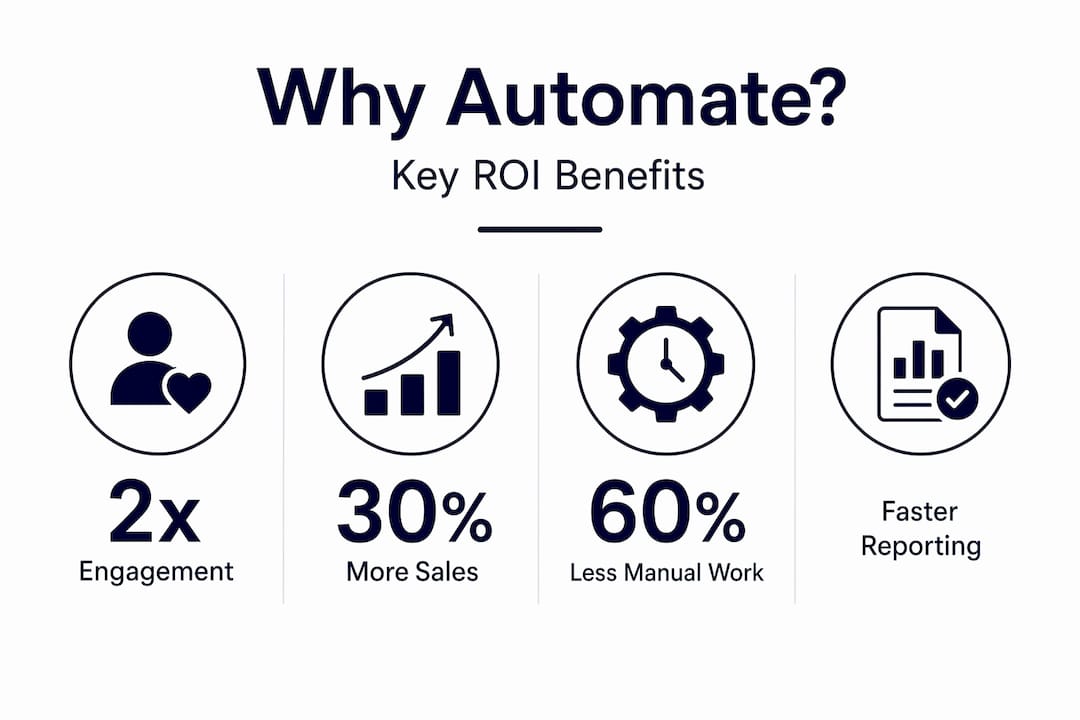
The most consistent finding across platforms and industries is that personalized, behavior-triggered campaigns outperform mass email blasts on every key metric. Higher Logic's 2025 to 2026 Association Email Benchmark Report confirms that automated marketing campaigns have higher open and click rates than individual one-time email sends. This isn't a surprise when you think about it. A message sent because someone just took a specific action is inherently more relevant than a message sent because it's the third Tuesday of the month.
Key benefits SMBs consistently report after implementing smart campaign automation:
- Higher open rates: Triggered emails sent within minutes of a user action capture attention while intent is still high.
- Better click-through rates: Personalized content based on browsing behavior or past purchases drives more clicks than generic offers.
- Shorter sales cycles: Automated follow-up sequences keep warm leads engaged without relying on a sales rep to remember to check in.
- Reduced manual workload: Once your flows are built, the system runs without daily oversight, freeing your team for higher-value work.
- Improved lead quality: Smart segmentation filters out unqualified contacts before they enter your flow, so your sales team only talks to serious prospects.
That said, Klaviyo notes that platform-level reporting often shows engagement lift for automated and personalized campaigns versus one-time sends, but results vary heavily by list quality, targeting relevance, and measurement and attribution setup. In plain terms: automation amplifies what you already have. If your list is full of cold, unengaged contacts, automation won't save you. Start with a clean, well-segmented audience.
Pro Tip: Track four metrics from day one: open rate, click-to-open rate, conversion rate, and unsubscribe rate. These four numbers tell you whether your content, targeting, timing, and frequency are all working together. Measuring ROI from automation becomes straightforward when you establish these baselines before launch.
How to implement smart campaign automation in your business
Inspired by the proven ROI, you might wonder where to begin. Here's a direct, proven process for implementing smart campaign automation in your own business.
A solid implementation follows four phases, each building on the last. According to Adobe Marketo documentation, a practical SMB methodology grounded in platform mechanics involves defining the audience logic, defining the flow steps and branching, deciding on batch versus trigger entry based on the customer signal, and setting qualification rules so leads do not unintentionally re-enter or miss the intended event window.
Here's how to execute each phase:
-
Define your audience (Smart List). Identify the specific segment you want to reach. Be precise. "All contacts" is not a segment. "Contacts who attended a webinar in the last 90 days and have not purchased" is a segment. Use filters to narrow your list to people who are genuinely ready for your message.
-
Map your flow (actions and branching). Write out every step your campaign will take. Include wait times, conditional branches (if they clicked, send X; if they didn't, send Y), and any internal notifications. Keep your first campaign simple: three to five steps maximum. You can add complexity once you've validated the logic.
-
Choose batch or trigger mode. Batch mode works for promotions, newsletters, and re-engagement campaigns where timing is flexible. Trigger mode works for welcome sequences, abandoned cart recovery, and post-purchase follow-up where immediacy drives results. Match the mode to the customer signal you're responding to.
-
Set qualification rules. Decide how often a contact can enter the campaign. Once ever? Once per 30 days? Every time the trigger fires? Getting this wrong is one of the most common mistakes SMBs make. A contact who enters a "welcome" sequence five times because you forgot to set a qualification limit will unsubscribe fast.
Pro Tip: If you're using a pre-built campaign system like Higher Logic, clarify upfront which steps are editable and which are locked. Assuming you have full control when you don't leads to frustration and misaligned expectations. When running smart campaigns, always test your logic with a small internal segment before rolling out to your full list.
After launch, monitor your metrics weekly for the first month. Look for drop-off points in your flow where contacts stop engaging. Those are your optimization opportunities.
Our perspective: The nuance and 'gotchas' most guides miss
Before you put all this advice into practice, here's the inside scoop we've learned working with dozens of SMBs: perspectives you won't get from platform marketing alone.
The biggest problem we see isn't technical. It's definitional. The term "smart campaign automation" means genuinely different things depending on which vendor you're talking to. As Adobe's Marketo documentation illustrates, the term can refer to automation of campaigns using smart workflow primitives like triggers, filters, and scheduling in platforms like Marketo, or it can mean turnkey "Smart Campaigns" product offerings like Higher Logic's pre-built, minimally configurable campaigns. When a vendor says their platform "supports smart campaign automation," ask them exactly what that means. Ask whether you can add custom triggers. Ask whether you can edit the flow steps. Ask how many conditions you can combine in a single Smart List. The answers will tell you far more than any feature comparison chart.
The second gotcha is the OR logic issue in Marketo that we mentioned earlier. It's worth emphasizing because it trips up even experienced marketers. According to Adobe documentation, changing filter logic between ALL and ANY affects filters but not triggers. Triggers remain OR-evaluated by design. This means if you add two triggers to catch two different entry points, any contact who satisfies either trigger enters your flow. That's often not what you intended. The fix is simple once you know about it, but discovering it after your campaign has been running for two weeks is painful.
Our broader lesson from working with SMBs on advanced campaign strategies is this: clarity on platform mechanics and editability is the difference between automation that pays for itself and automation that creates more problems than it solves. Invest time upfront in understanding exactly how your chosen platform processes logic. Read the documentation. Run test campaigns with internal contacts. The hour you spend on this saves you weeks of troubleshooting later.
Get expert help with smart campaign automation
Smart campaign automation has real, measurable upside for SMBs, but the path from concept to optimized, revenue-generating campaigns requires both strategic thinking and technical precision. The platforms are powerful, and the ROI is real, but the setup details matter enormously.
Manifestera helps SMBs deploy, optimize, and scale Manifestera's automation services tailored to your specific audience, goals, and existing tech stack. Our team brings deep expertise across leading marketing automation platforms and a tested implementation process designed to get you to positive ROI faster while avoiding the common pitfalls that waste budget and burn out your list. Whether you're building your first trigger-based campaign or overhauling a complex multi-step journey, we bring the strategic clarity and hands-on execution you need to make it work.
Frequently asked questions
How is smart campaign automation different from regular marketing automation?
Smart campaign automation uses triggers, schedules, and AI-driven logic to create personalized journeys, while basic automation usually means simple sequencing or scheduled blasts. As Klaviyo describes campaign automation, smart campaign automation relies on rule-based triggers and filters plus workflow steps that respond to user events, often with AI assisting targeting or content personalization.
Will smart campaign automation work out of the box on my platform?
Many platforms offer pre-built smart campaigns, but flexibility and editability vary widely, so always check what you can customize. Higher Logic states each Smart Campaign consists of 1 to 5 steps and is designed for minimal manual effort, which is great for speed but limits how much you can tailor the experience.
What results can I expect from implementing smart campaign automation?
Smart campaign automation often delivers higher engagement, including improved open and click rates, but outcomes depend heavily on audience targeting and content quality. Higher Logic's 2025 to 2026 Association Email Benchmark Report confirms that automated campaigns consistently outperform one-time sends on these key metrics.
What's the biggest mistake SMBs make with smart campaign automation?
The most common error is overlooking entry and qualification logic, which causes contacts to receive repetitive or missed messaging. As outlined in Adobe Marketo documentation, always define your trigger rules and qualification settings clearly so leads enter and exit your flow exactly as intended.